Footwear Product Development
Custom Shoe Manufacturer Sample Revision Checklist
A buyer-owned method for tracing each athletic shoe sample comment from the observed condition to its decision status, affected component and controlled product record.
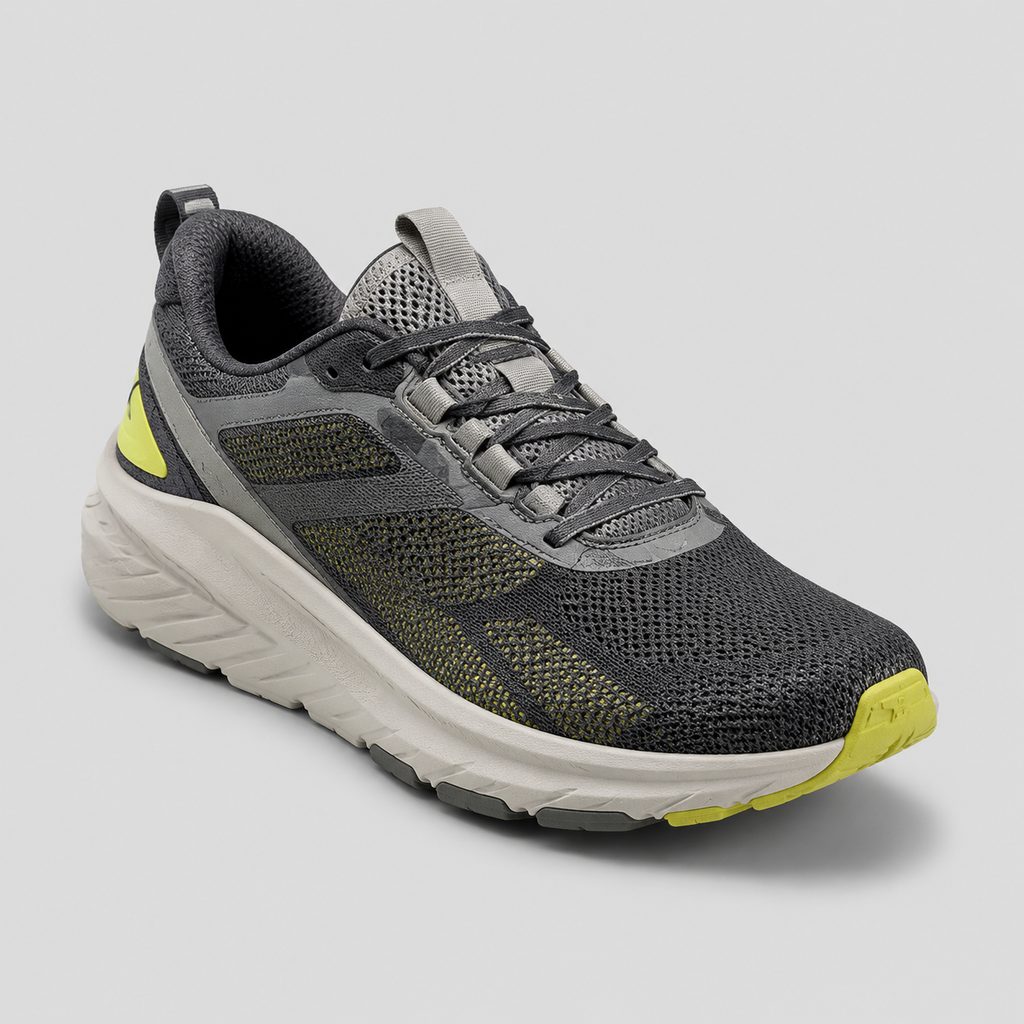
Sample comments become ambiguous when a photo note is treated as both a diagnosis and an instruction. A custom shoe manufacturer sample revision checklist should preserve the path from what the buyer observed to the product record that may need to change. Its immediate purpose is to define what the next sample must answer without allowing an unapproved idea to enter the controlled product definition.
Except where a company statement is expressly attributed, the process below is an editorial control method for footwear buyers, not a documented factory workflow. The available sources do not specify a revision form, number of sample rounds, turnaround time, fees, approval sequence, inspection protocol or acceptance limits. Those remain questions for the submitted project.
What Must the Next Sample Resolve?
Begin with the decision expected after the next review. The buyer may need to confirm that the sample follows an existing visual, material, dimensional or construction requirement. If the requirement itself is still open, describe the information the next sample should provide rather than presenting the undecided requirement as an instruction.
- Name the reviewed sample and the files used during its review.
- State the decision expected from the next sample.
- Identify issues that still need information or buyer approval.
- Assign a buyer-side owner to each open decision.
Keep this objective at packet level. Individual comments can then be assessed against the same purpose instead of becoming disconnected requests.
The Traceability Record
Give every sample comment a stable revision ID and place all entries in one controlled log. Used this way, an OEM shoe sample change log is an index to the current product definition. It does not replace the tech pack, design files or material records.
| Field | Question answered | Buyer-controlled entry |
|---|---|---|
| Review basis | What was reviewed? | Sample identifier, file versions and review date. |
| Revision ID | Which comment is being discussed? | A unique reference repeated in images, notes and decisions. |
| Observation | What did the reviewer identify? | Neutral description of the condition and its location. |
| Intended outcome | What should the next review determine? | An existing requirement or an outcome still awaiting definition. |
| Decision status | Does the entry authorize work? | Observation, approved instruction, option under review or manufacturer question. |
| Affected component | Where does the entry apply? | The component, zone or interface named in current project records. |
| Controlled record | Which file may need attention? | Tech-pack section, design file, material entry, bill-of-materials line or tooling question. |
| Disposition | What is the current result? | Approved update, open decision, withdrawn comment or question awaiting input. |
When an instruction is approved, record the identifier of the revised file in the same row. Keep the original observation visible even if the proposed response is withdrawn. The row then shows both why the issue was opened and what became part of the current definition.
Observation, Option or Instruction?
In an athletic shoe sample feedback template, the observation should come before any proposed remedy. A reviewer may be able to locate a condition without having enough information to select a material substitution, pattern adjustment, tooling response or construction change.
- Locate it. Name the shoe, side, component, zone or interface involved.
- Describe it. Record only what can be identified in the available sample or review reference.
- Connect it. Link the entry to an image, drawing, tech-pack page, material record or approved comparison reference.
- Define the outcome. Cite an existing requirement or mark the desired result as open for buyer definition.
A separate status field controls whether the row is informational or actionable.
- Observation
- The condition is recorded, but no change has been authorized.
- Approved buyer instruction
- The buyer has authorized a defined update and identified the controlled records affected. That approval does not determine manufacturability.
- Option under review
- A possible response is being considered but is not approved for implementation.
- Manufacturer question
- The row requests bounded input, such as whether a proposed update creates a manufacturability issue against the supplied tech pack and design.
Where an Approved Change Belongs
Within its documented OEM build-to-spec scope, Custom Shoe Factory says it manufactures to the buyer's tech pack and design. For buyer-side document control, each approved revision should therefore point to the applicable product record rather than remain only in an email, image annotation or meeting note.
- Tech pack
- Update the applicable section when an approved instruction changes a requirement recorded there.
- Design file
- Revise the applicable drawing or artwork when the buyer approves a visual or design change.
- Material record
- Identify the affected project material entry and bill-of-materials line when an approved decision changes those records.
- Tooling question
- If the tooling effect is unknown, retain it as a question linked to the revision ID. Do not record an assumed tooling change.
Superseded instructions should be identified explicitly. A file that did not change can remain in the packet as a reviewed reference without being labeled as a new revision.
The published running-shoe listing names mesh, knit and PU as upper terms. It separately names EVA and rubber as outsole terms.
| Component reference | Buyer treatment in the log |
|---|---|
| Upper | Name the upper zone and the material already specified for the project. Keep an unapproved substitute in the option field. |
| Outsole | Name the outsole area and its current drawing or material entry. Keep unresolved material, mold or tooling matters as questions. |
| Component interface | Name both components and their meeting location without treating a proposed construction response as approved. |
These published terms do not establish that the listed materials are interchangeable, compatible in every combination or suitable for every design. When material identity is still being defined, the early running-shoe material brief can support product planning while the revision log records only the project's current choices and open decisions.
Scope Checks and Open Questions
Custom Shoe Factory says it flags manufacturability issues during DFM for OEM work based on the supplied tech pack and design. A revision packet can direct a bounded question into that scope: identify the proposed update, attach its revision ID and ask whether it creates a manufacturability issue. The published statement does not extend to design approval, engineering validation, performance assurance or a guaranteed resolution.
Custom Shoe Factory describes its product family as running, training, walking and casual sneakers. Those categories provide a preliminary relevance check, but they do not establish capability for an undisclosed construction, specialized footwear category or project-specific performance requirement.
- Name the published category that most closely fits the program.
- State specialized requirements instead of assuming they are covered by the category label.
- Ask whether the current design and proposed revisions fit the applicable development and manufacturing scope.
Separately, the case-studies page presents a running-shoe launch as an example project format, described from a reference pair to an inspected first production. That source supports the example and those endpoints only. A buyer may ask what “inspected first production” would mean for the submitted project and what buyer-supplied criteria or references would be required. The example does not document sample rounds, an inspection method, acceptance limits, timing or a universal development sequence.
Packet Handoff
Submit one current packet and make unresolved items visible rather than mixing them into approved instructions.
- Include the current product definition and reviewed sample identifier.
- Attach the revision log with a status for every entry.
- Provide the current files affected by approved changes.
- List unresolved design, material, tooling and manufacturability questions separately.
- State the decision expected from the next sample or development step.
The OEM page also says Custom Shoe Factory holds the buyer's bill of materials across reorders. The same source says it holds the buyer's tooling across reorders. Use those statements only to ask how an approved revision affecting a bill-of-materials entry or possible tooling requirement would be carried forward. The source does not specify ownership, storage duration, replacement terms or cost treatment.
Share the current product definition, revision log, available files and open questions through the project inquiry form. Ask which development, manufacturability, sampling or quotation options may apply to the submitted project.
Sources and verification
- OEM / ODM Shoe Development | Custom Footwear Manufacturing First-party site source
- Footwear Manufacturing Case Studies | Example Project Formats First-party site source
- Athletic Shoe Manufacturer | Custom Product Range First-party site source
- About Custom Shoe Factory | OEM/ODM Athletic Shoes First-party site source
Share the current product definition and ask which development, manufacturability, sampling or quotation options may apply to the project.
Send your project brief