Footwear Product Development
Decision Record for an OEM running shoe outsole specification
A procurement-focused method for recording outsole decisions without treating published material wording as approval of a project-specific construction.
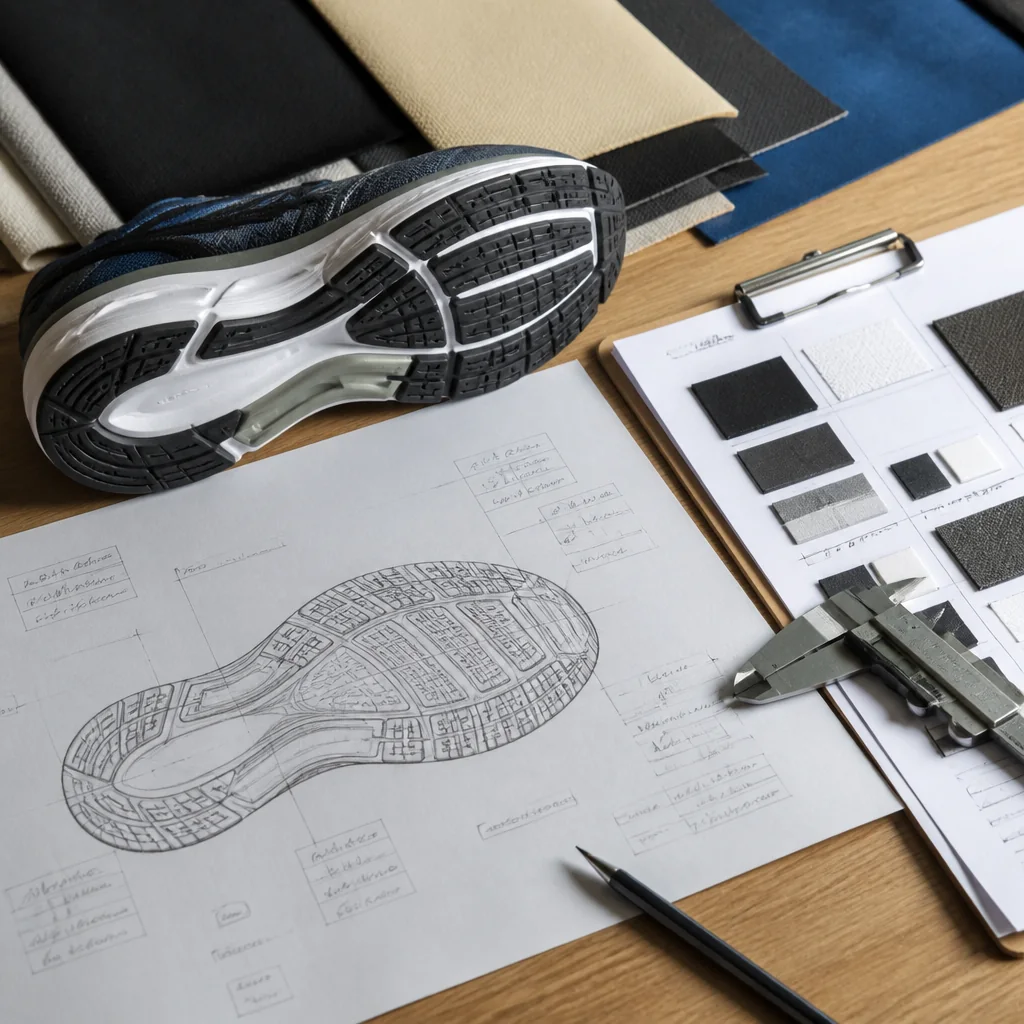
“EVA & rubber outsoles” is the exact wording associated with running shoes in the published product-range excerpt. The same excerpt separately describes cushioned midsoles. These statements identify materials and features within the range, but they do not assign EVA or rubber to a particular part, require both materials in every style, or define a project-specific construction.
For a buyer preparing an OEM running shoe outsole specification, the useful next step is to document the choices already present in the design. The editorial method in this guide uses an outsole decision record: a buyer-owned index that distinguishes confirmed instructions from assumptions and unresolved questions.
The decision record comes first
The record is a proposed editorial tool, not a published Custom Shoe Factory form or submission requirement. Its purpose is to show the current state of each outsole decision without filling gaps through inference. Each entry should point back to the buyer's design or tech pack.
Suggested fields for a buyer-owned outsole decision record
| Field | What to record | Purpose in the record |
|---|---|---|
| Material wording | Use the material description found in the current buyer document. | Preserves the buyer's terminology instead of deriving a construction from the range-level phrase. |
| Part or location | Name the part, zone, or location shown in the buyer's design. Leave the point open when the design does not define it. | Separates a material name from its intended application. |
| Linked reference | Cite the design file, tech-pack section, drawing callout, and current revision that contains the choice. | Lets the reader find the controlling buyer document. |
| Decision status | Mark the entry fixed, provisional, or open. | Distinguishes an instruction from an assumption or question. |
| Unresolved question | Write the specific point that still requires a buyer decision or project-specific response. | Keeps uncertainty visible in the inquiry. |
As an editorial recommendation, give each distinct choice its own row. When the buyer's design refers to multiple parts or locations, separate rows can carry separate wording, references, and statuses. This format does not presume how many parts the final construction will contain. It simply prevents one broad entry from hiding several different decisions.
What does the range wording settle?
The running-shoe excerpt supports a narrow sourcing conclusion: an outsole question involving the published EVA and rubber wording is relevant to the running-shoe range. The excerpt also associates that range with cushioned midsoles. Neither statement is a specification for the buyer's style.
The supplied excerpt leaves material placement, geometry, joining details, tooling implications, performance criteria, and validation methods unestablished. Material names alone provide no evidence for a particular traction, durability, cushioning, stability, or energy-return result.
Record placement or application as a buyer-defined choice when it appears in the current design. Otherwise, place it in the open column as a question. This keeps the record within the scope of the available documents while preserving the buyer's intended product definition.
Fixed, provisional, or open?
The three status labels below are proposed for this decision record. They describe the state of the buyer's information; they are not presented as a company workflow, an approval system, or a manufacturability verdict.
Editorial status definitions
| Status | Definition | How to use it |
|---|---|---|
| Fixed | The buyer has placed the intended choice in the current design or tech pack. | Point to the relevant file and revision. The label confirms the buyer's instruction only. |
| Provisional | The entry is a working assumption awaiting a buyer decision or project-specific response. | State the assumption and the question that must be resolved before the status changes. |
| Open | The buyer has not made the choice and is explicitly requesting an answer. | Write a focused question instead of inserting an inferred material or construction detail. |
A status should match the current documents. Marking an assumption as fixed makes the inquiry appear more settled than the buyer's definition supports. Leaving a documented choice open creates the opposite problem. As an editorial practice, update the linked reference, status, and unresolved question together whenever the underlying design changes.
Buyer definition and the documented DFM boundary
Custom Shoe Factory's OEM service excerpt states that the company manufactures to the buyer's tech pack and design. It separately states that the company flags manufacturability issues during DFM. Those are the documented boundaries relevant to the outsole record.
- Buyer input
- For a build-to-spec inquiry, the editorial recommendation is to provide or identify the current design and tech-pack references that contain the intended outsole choices.
- Documented OEM role
- The company states that it manufactures to the buyer's tech pack and design.
- Documented DFM statement
- The company states that it flags manufacturability issues during DFM.
- Project-specific questions
- The buyer can ask what manufacturability consideration or other project option may apply, while leaving the answer open until the company responds.
The cited service statement does not assign authorship of missing outsole specifications to the manufacturer. Within the decision record, keep buyer choices tied to buyer documents and mark missing choices as open. Describe the timing of issue flagging only as “during DFM”; the excerpt does not place that activity before quotation, before sampling, or at another stage.
Product-family relevance stops short of feasibility
Custom Shoe Factory describes its product focus as running, training, walking, and casual sneakers. That statement establishes running shoes as one of the listed product families.
Separately, the product-range excerpt associates running shoes with EVA and rubber outsoles. It does not confirm a proposed combination, geometry, tooling route, or construction for an individual project.
For an initial supplier filter, the two excerpts support product-family relevance. They do not establish project-specific feasibility. The buyer should share the current definition and ask what manufacturability review, if any, may apply to that definition.
Questions for the open column
The supplied excerpts do not establish project-specific outsole construction details. A buyer can expose those evidence gaps by placing focused questions in the decision record, such as:
- Which part or location in the buyer's design does each material term describe?
- Which design file and tech-pack revision should control the discussion?
- If DFM applies to the project, does the proposed definition raise a manufacturability issue?
- Which construction details does the buyer still need to define?
- What project information would be needed to discuss possible tooling implications?
- Which performance criteria does the buyer intend to state for the product?
- Which validation methods, if any, does the buyer want to identify or ask about?
- Which development, manufacturability, sampling, or quotation options may apply to the current definition?
These are possible inquiry topics. They are not evidence that a particular service, material combination, tooling route, or validation method is available for the project. The same editorial rule applies to compounds, hardness, thickness, tread dimensions, weights, thresholds, and other technical values: enter them when the buyer has defined them; otherwise, preserve the gap as a question.
Relationship to the outsole tech pack
The full OEM running shoe outsole specification remains in the buyer's design and tech pack. Within this editorial method, the decision record acts as an index to that definition. A running shoe outsole tech pack may contain the detailed product instructions, while the record tells the reader where each outsole choice is located and how settled it currently is.
- Use the exact file name or document identifier and current revision for each linked entry.
- Recheck the status when the referenced material wording or drawing changes.
- Rewrite an open question when a design update changes the point that needs an answer.
Keep the record short enough to scan. Its role is to expose decisions and uncertainty, not to duplicate drawings or replace the buyer's product documents.
Which request follows from the record?
The design contains the intended choices
When the current design and tech pack contain the intended outsole choices, identify the inquiry as an OEM build-to-spec request. Point to the controlling references and ask how the cited statement about flagging manufacturability issues during DFM may apply. This communicates a defined buyer input without claiming prior acceptance of the proposed build.
Essential choices remain open
When important entries are provisional or open, share the available product definition and identify the unresolved points. Ask which development, manufacturability, sampling, or quotation options may apply. Treat each option as an inquiry topic rather than a confirmed route for the project.
On the project inquiry page, lead with the current design and tech-pack references, then include the outsole decision record. The recipient can see what the buyer has specified, what remains an assumption, and which questions require a project-specific response.
Sources and verification
- Athletic Shoe Manufacturer | Custom Product Range First-party site source
- OEM / ODM Shoe Development | Custom Footwear Manufacturing First-party site source
- About Custom Shoe Factory | OEM/ODM Athletic Shoes First-party site source
Share the current product definition and ask which development, manufacturability, sampling or quotation options may apply to the project.
Send your project brief